🦺
PPE & Gear Detection
Automatically identify helmets, harnesses, ladders, mobile work elevating platforms (MEWPs), scaffolding, and personnel across JPG, PNG, WEBP, and BMP images.
Detectnix SiteSafe
Detect safety compliance gear—including helmets, harnesses, ladders, mobile work elevating platforms (MEWPs), scaffolding, and personnel—locally using private on-device AI models. No cloud uploads. No external processing. Designed for site safety managers, safety auditors, and privacy-conscious industrial environments.
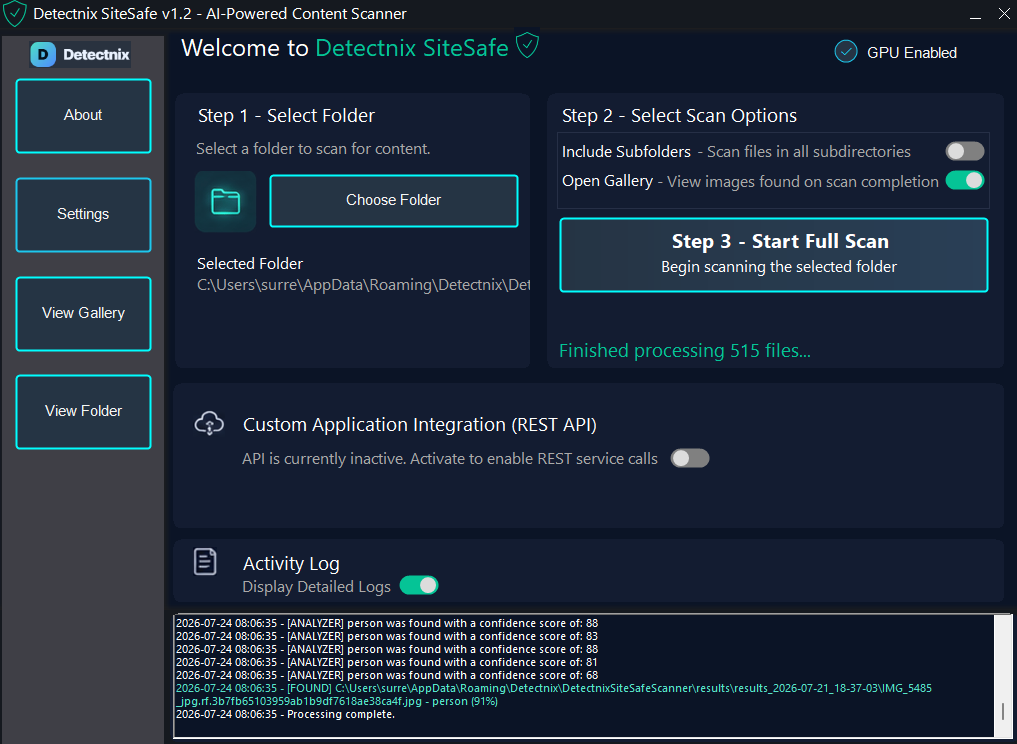
Automatically identify helmets, harnesses, ladders, mobile work elevating platforms (MEWPs), scaffolding, and personnel across JPG, PNG, WEBP, and BMP images.
Detect job-site safety equipment and compliance items using local vision models.
Files remain on your device. No cloud upload or third-party image processing required.
Automatically uses your GPU for fast high-volume inspection on supported hardware.
Watch the video below
Software Screenshots - Select A Folder
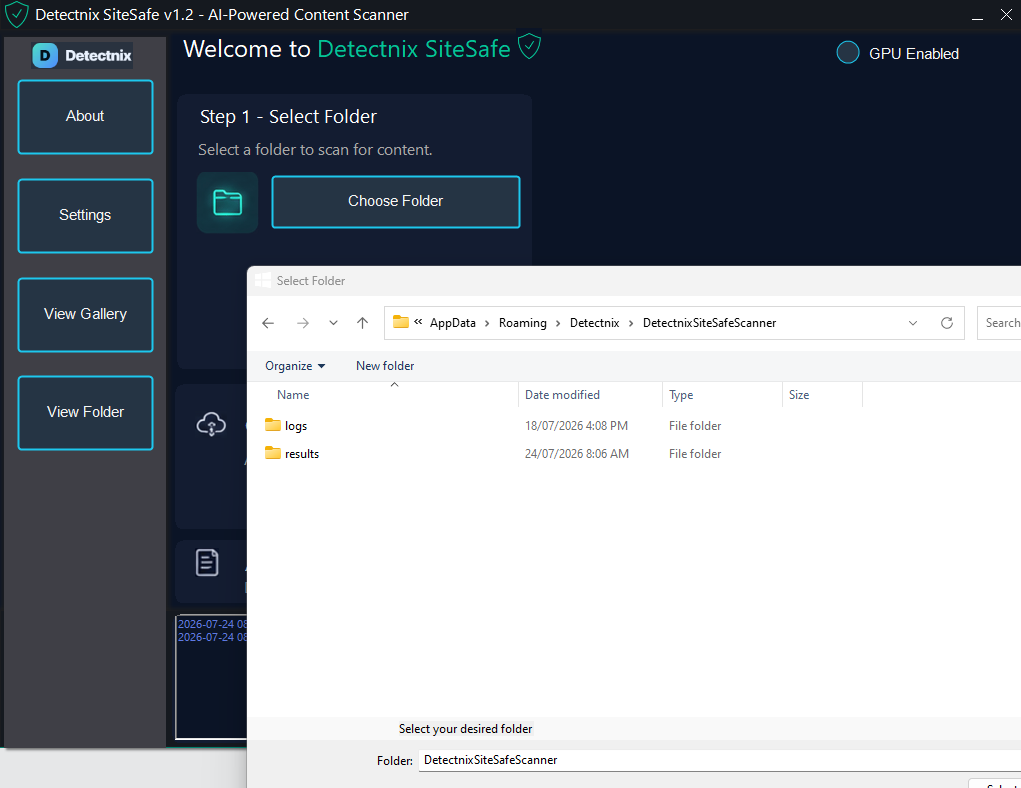
Software Screenshots - Set Options
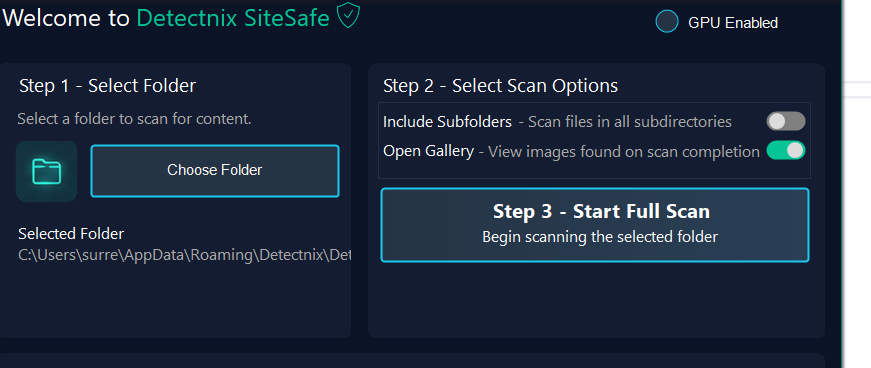
Software Screenshots - Scanning Begins
Software Screenshots - Scan Activity
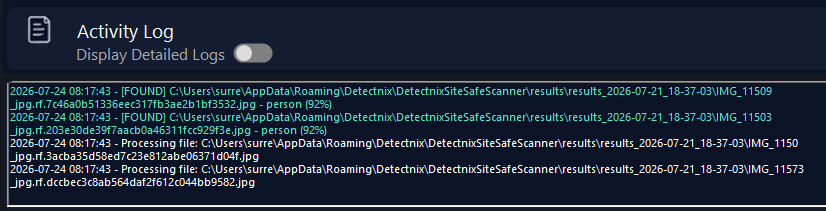
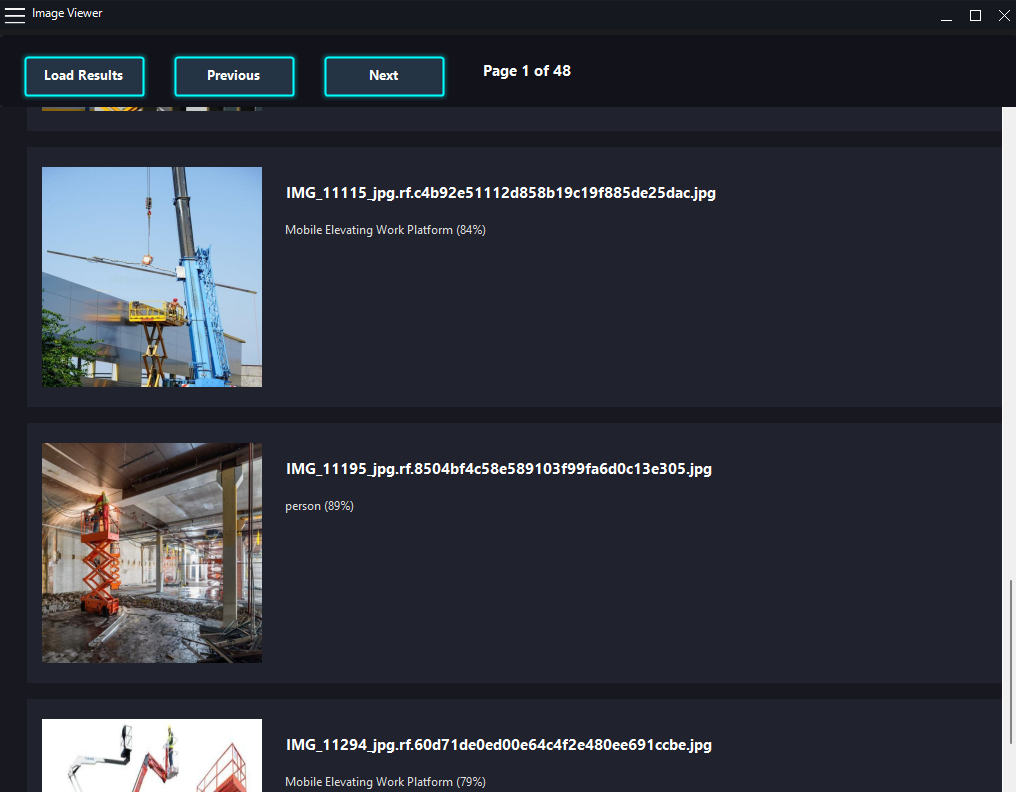
Software Screenshots - Image Gallery
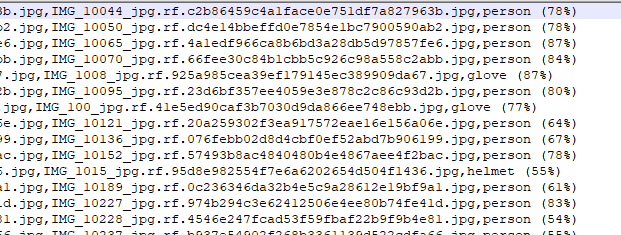
Software Screenshots - Export Results
Available Editions
| Feature | Free | Retail | Enterprise |
|---|---|---|---|
| Scan selected folders | ✓ | ✓ | ✓ |
| Recursive subfolder scanning | — | ✓ | ✓ |
| Local AI classification | ✓ | ✓ | ✓ |
| GPU acceleration | ✓ | ✓ | ✓ |
| REST API integration | — | — | ✓ |
| Enterprise automation support | — | — | ✓ |
| Price |
$0
Free |
$49 AUD
One-time purchase |
From $299 AUD / year
Business & API licensing |
As all computers are different, we recommend downloading and using the free trial version to determine your computer's suitability. If the free trial version works correctly on your system, then the retail versions will work as well.
No. Detectnix SiteSafe performs all image analysis locally on your computer using on-device AI models. Your site photos remain on your system and are never uploaded to external servers or cloud services.
The model is trained to identify helmets, harnesses, ladders, mobile work elevating platforms (MEWPs), scaffolding, and personnel in site images.
Detectnix SiteSafe currently supports JPG, JPEG, PNG, BMP, and WEBP image formats.
Yes. Detectnix SiteSafe supports optional NVIDIA CUDA and DirectML acceleration for compatible GPUs, helping improve high-volume scanning performance on supported systems.
Yes. The Retail and Enterprise editions support recursive folder scanning, allowing large site photo directories and subfolders to be processed automatically.
Yes. Findings can be exported to CSV files and dedicated output folders for compliance reports, safety audits, or integration into internal reporting workflows.
Detectnix SiteSafe is designed for Windows 10 and Windows 11 64-bit systems.
System Requirements
Performance depends on image count, image resolution, storage speed, GPU support, and session configuration.